POS Printer Pro WeoduStore
Upgrade your POS printing experience with POS Printer Pro, a powerful and flexible printing solution designed for Odoo POS and other business systems.
With support for LAN, WiFi, and Bluetooth, this printer gives you the freedom to connect in the way that works best for your business. It is fully compatible with Windows and Android, making it easy to deploy in restaurants, cafés, retail stores, and other fast-paced environments.
This solution is built for businesses that need fast, stable, and reliable receipt printing without complicated setup. No IoT Box required. Just direct, efficient printing to keep your checkout and kitchen workflow running smoothly.
Key Features
Seamless integration with Odoo POS and other systems
LAN, WiFi, and Bluetooth connectivity
Compatible with Windows and Android
Supports 58mm and 80mm paper sizes
Fast, stable, and reliable direct printing
Easy setup for modern retail and F&B operations
Why Choose POS Printer Pro?
POS Printer Pro helps you save time, reduce printing errors, and improve operational efficiency. Whether you run a restaurant, café, shop, or multi-location business, this printer is designed to deliver a smooth and professional printing experience.
Perfect For
Restaurants
Cafés
Retail stores
Food & beverage businesses
Odoo POS users
Custom POS and business systems
POS Printer Pro is the smart choice for businesses that need flexible connectivity, broad device support, and dependable performance.
This module extends the Odoo Point of Sale (POS) application. It offers a solution for restaurants, cafes, and other food service establishments looking to enhance their kitchen order management and printing processes.
Compatible with ESCPOS printers, including locally connected printers (Wifi, Bluetooth,etc.), not limited to network printers.
- Direct Printing with WduPosPrint: Print instantly from Odoo POS to your kitchen printers—no IoT Box required. Enjoy faster, more stable performance, reduced hardware costs, and seamless compatibility with a wide range of printers for uninterrupted operations.
- Enhanced Kitchen Workflow: Transform your kitchen efficiency with clear, well-structured receipts. Reduce errors, speed up preparation, and ensure every order is executed accurately—delivering faster service and a better customer experience.
POS Session View And Configuration
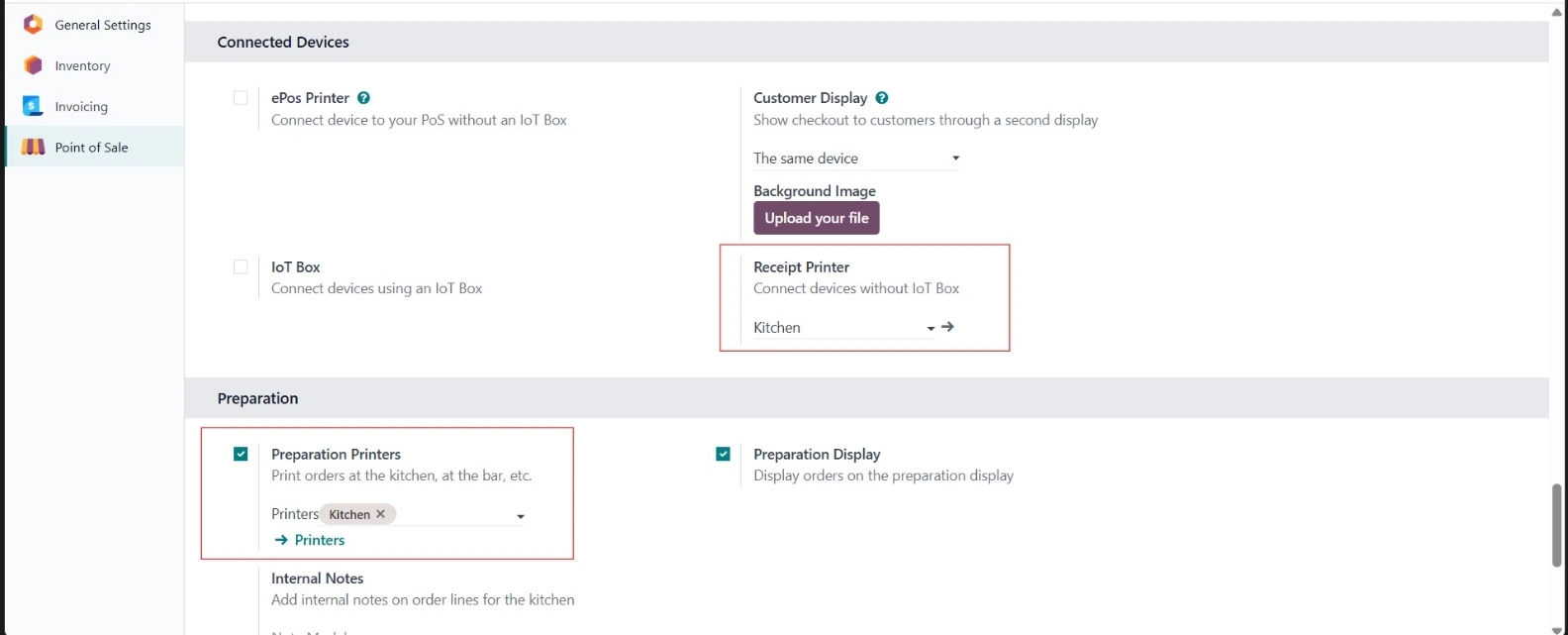
Go to Point of Sale → Configuration → Point of sale. Go to Connected Devices section; check Kitchen Printers
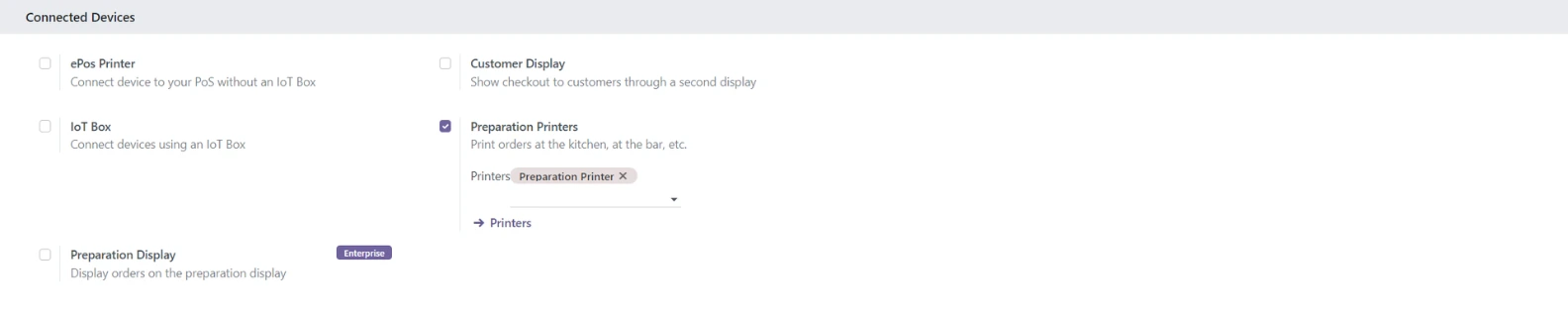
Proxy IP Address: https://ip:port
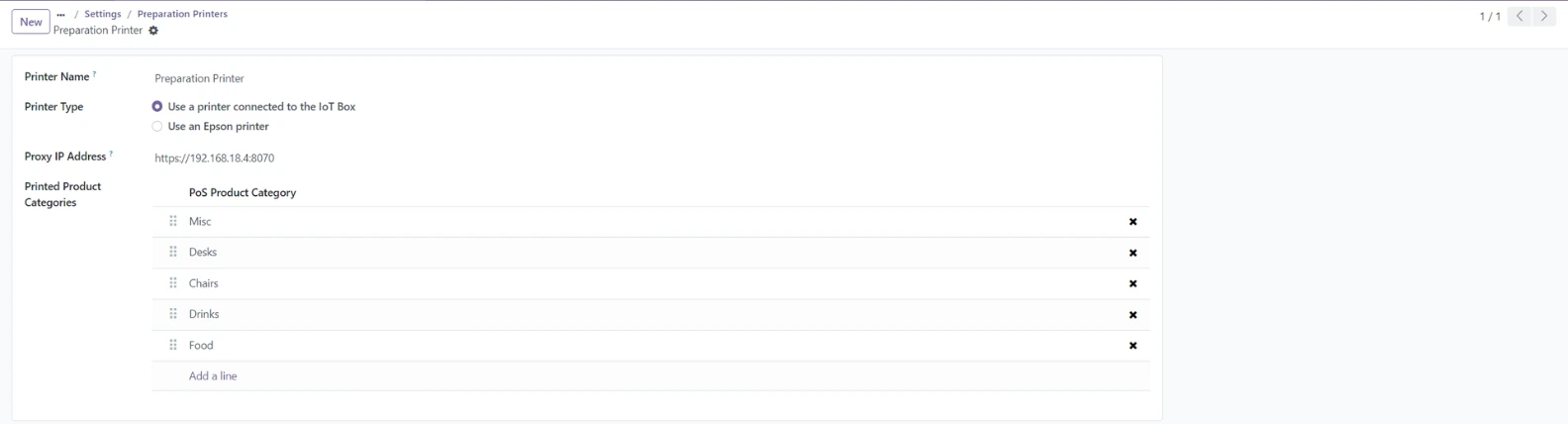
The receipt printing configuration fully depends on the settings in Preparation Printers. If you are using a separate receipt printer, please create a similar print API for it within the Preparation Printers configuration to ensure proper functionality.
WduPosPrint Configuration
Before using WduPosPrint, Setup WduPosPrint.exe is installed on your system.
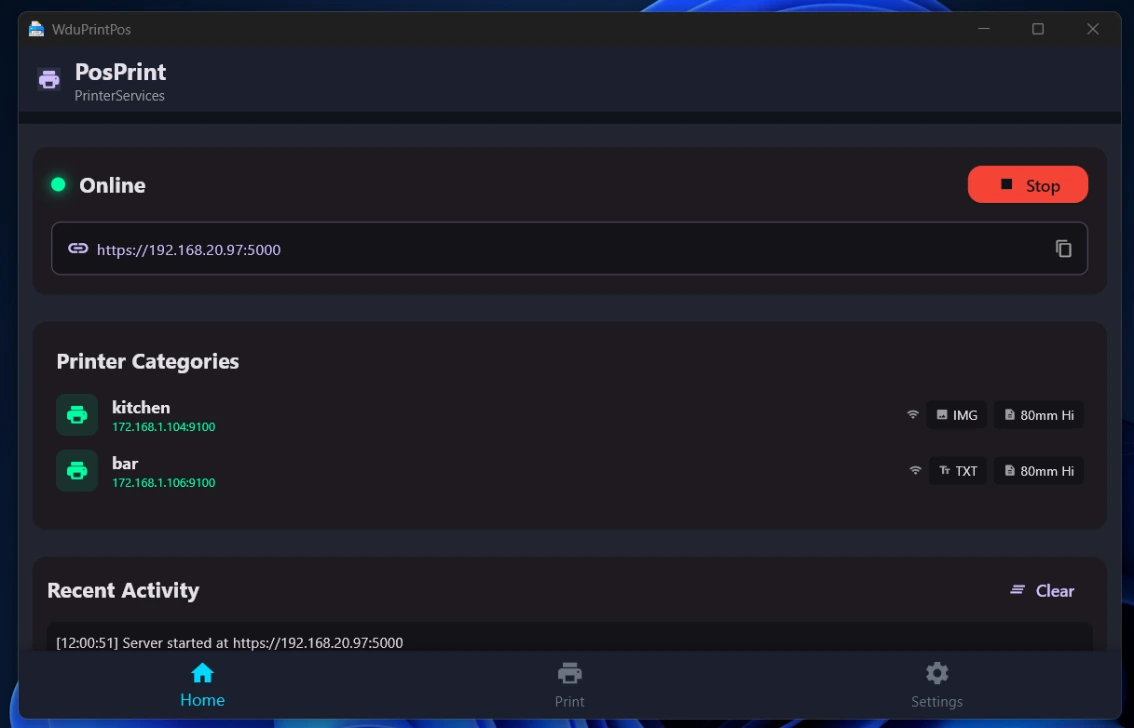
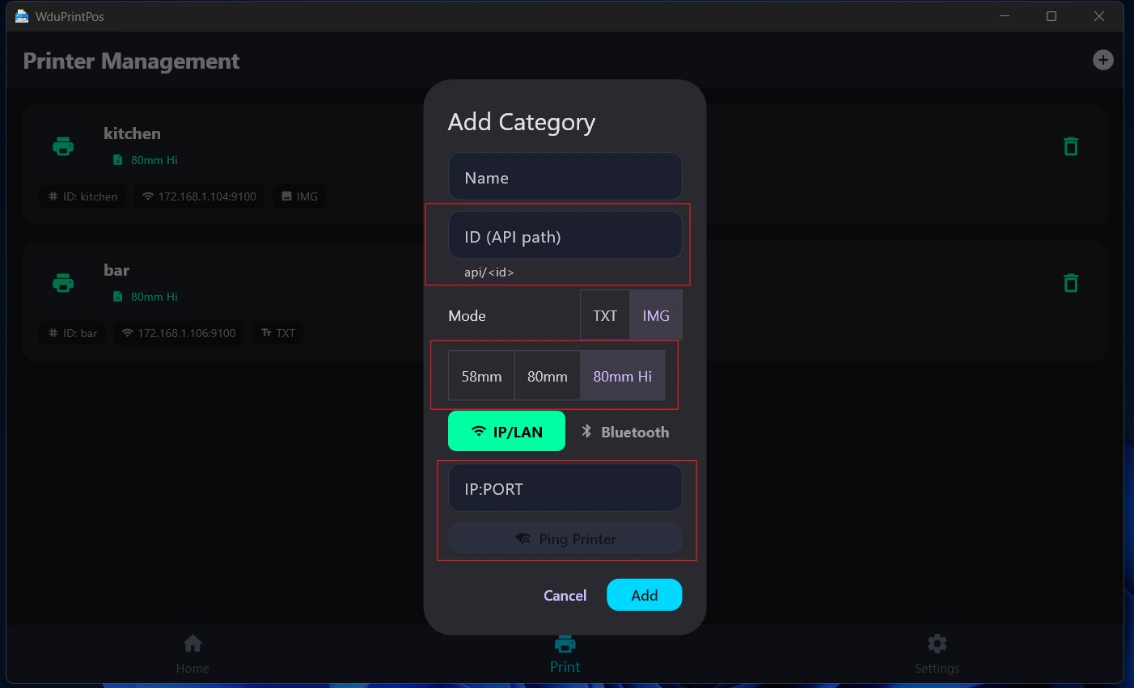
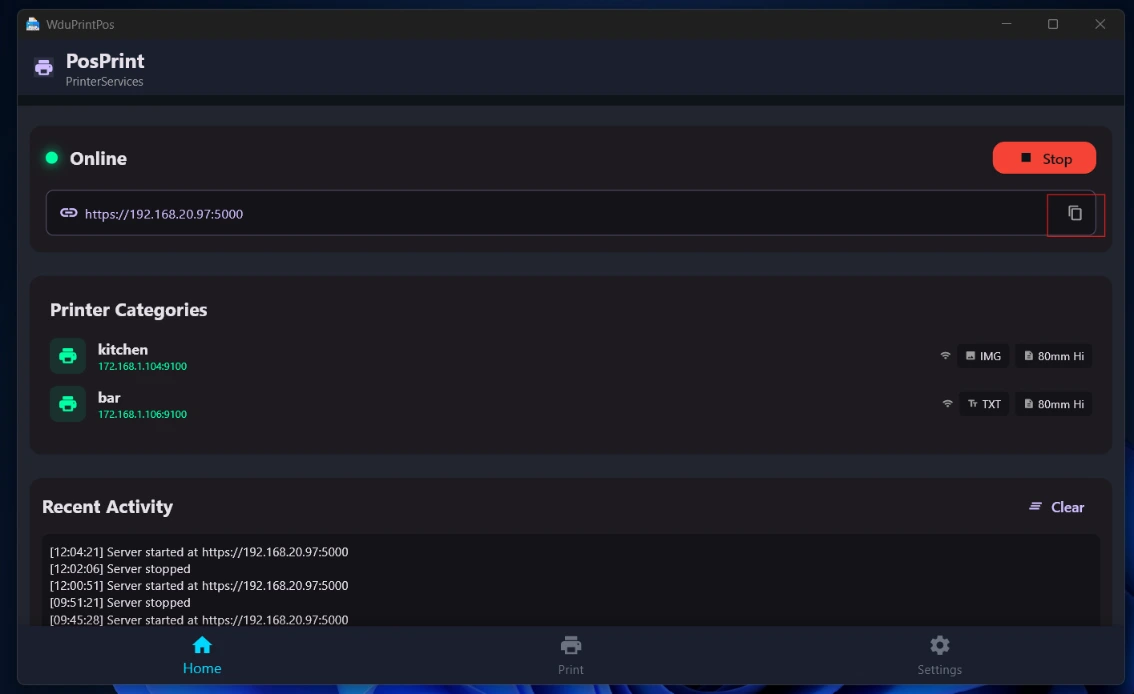
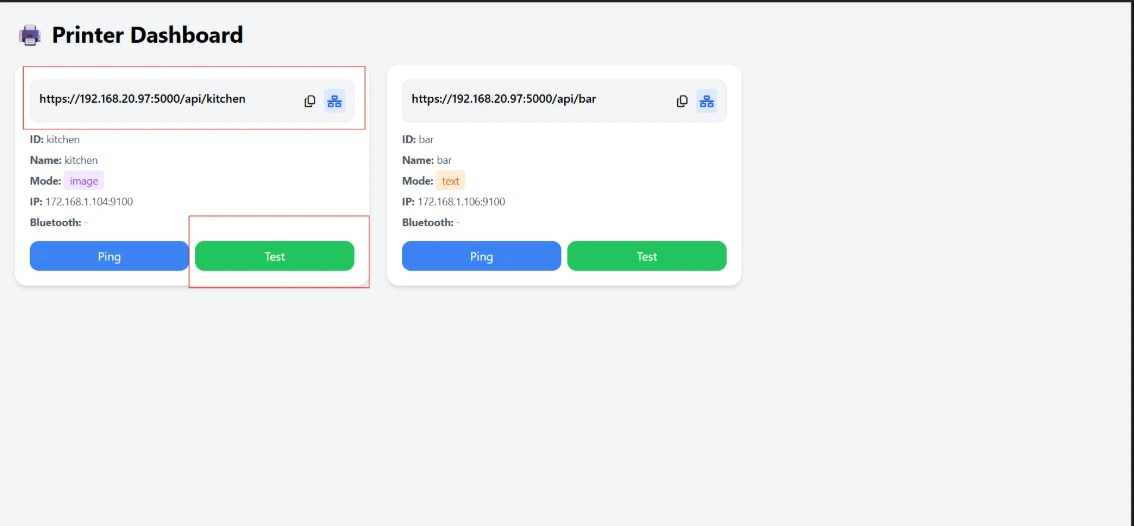
Upon launching WduPosPrint for the first time, ensure to select your printer and click on "Save" before starting. Note that in setup section 4, you can copy the printer administration address https://ip:port into your browser, and you will see all printers there.
Point Of Sale (Restaurant)
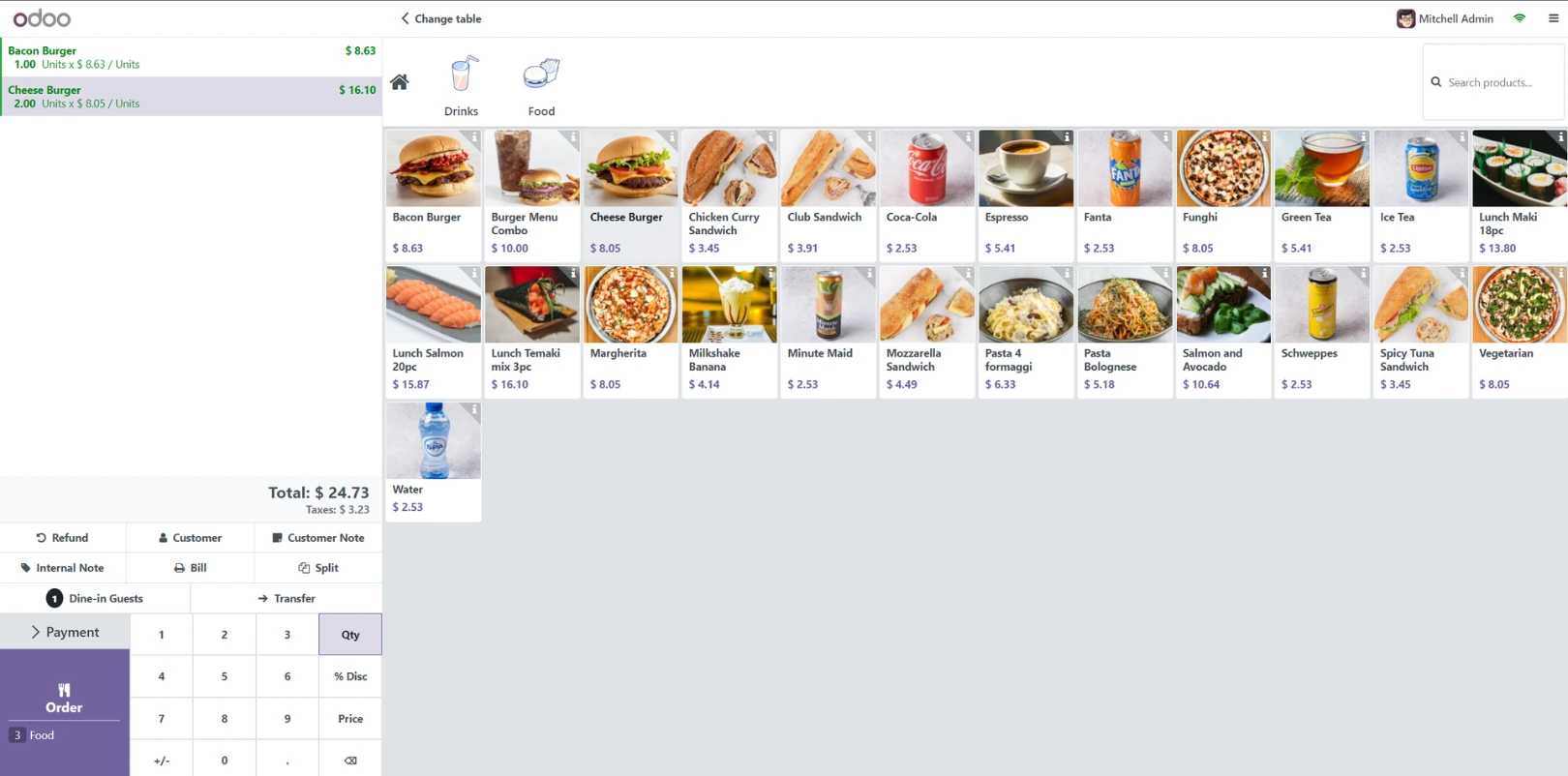
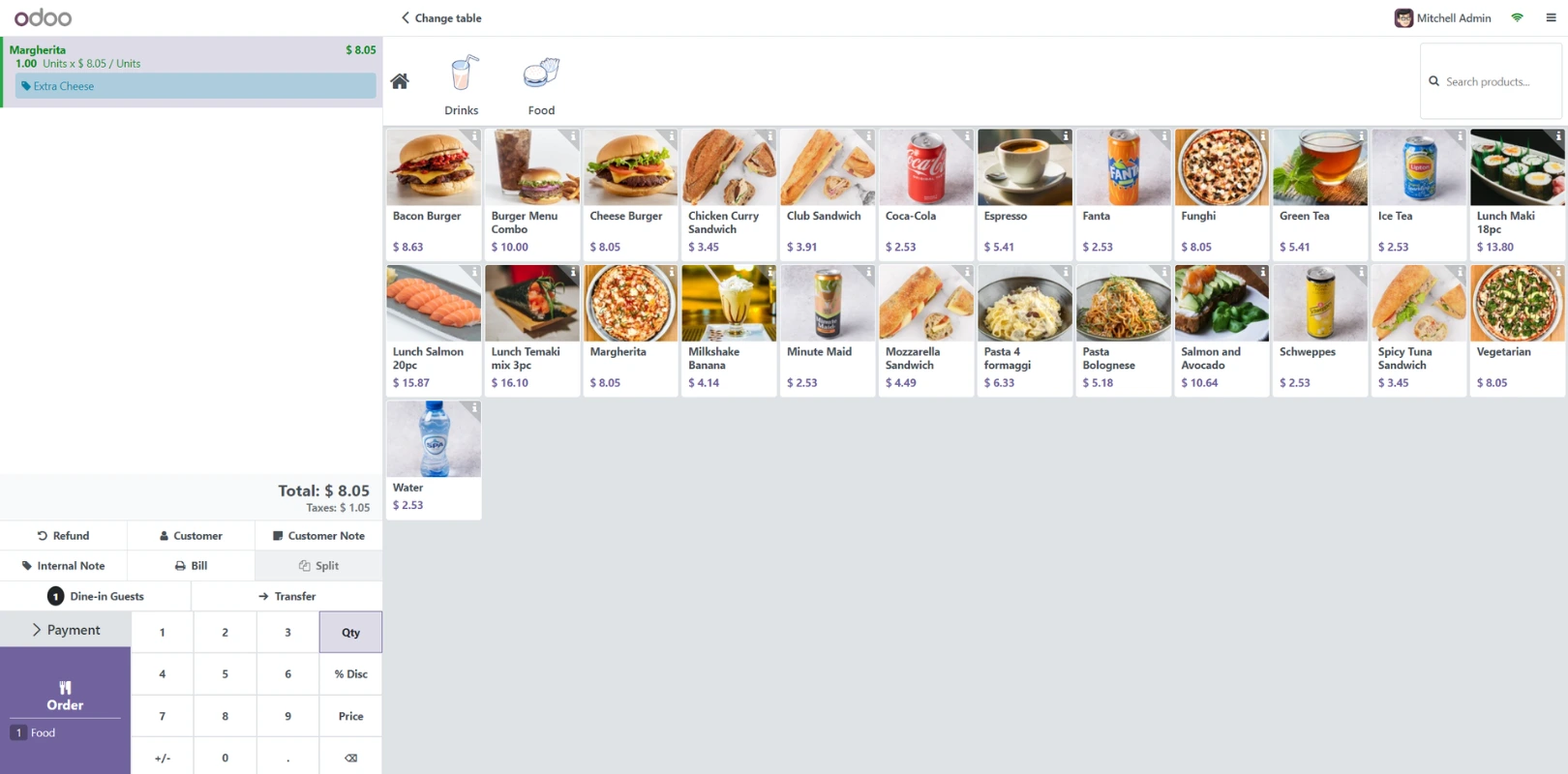
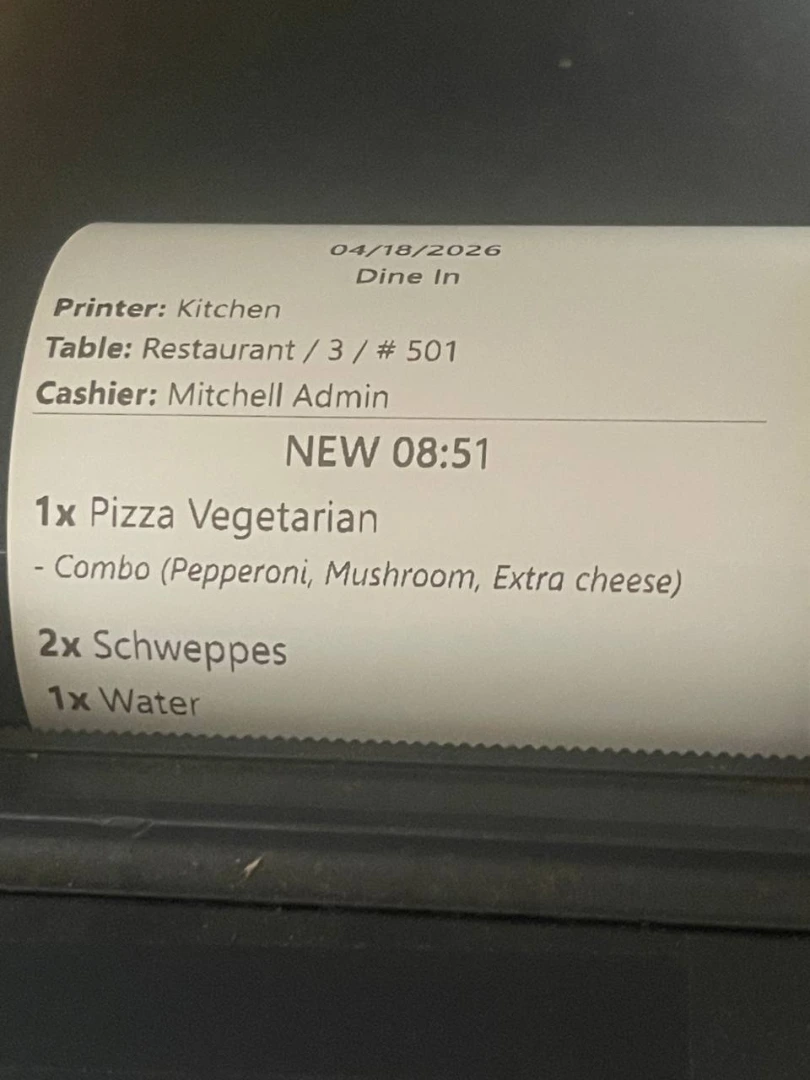
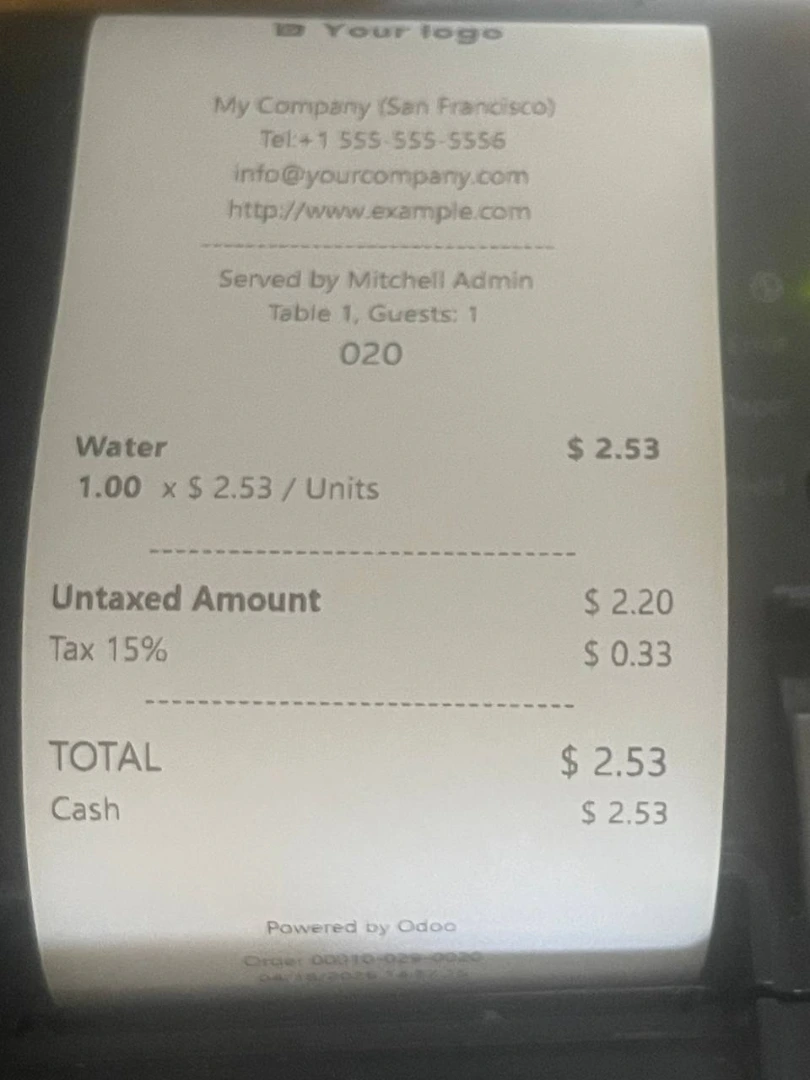
To ensure smooth and reliable printing, please make sure the necessary printer drivers are properly installed. Having the correct drivers in place helps your printers run as expected and minimizes potential interruptions in your kitchen operations.
We recommend checking that all printer drivers are installed and up to date before using this module. This simple step helps maintain compatibility and ensures a seamless printing experience from Odoo POS to your kitchen printers.
Ensuring secure communication for WduPosPrint on Windows / Android involves several critical steps, from installing package managers to setting up SSL certificates. Here's a detailed walkthrough:
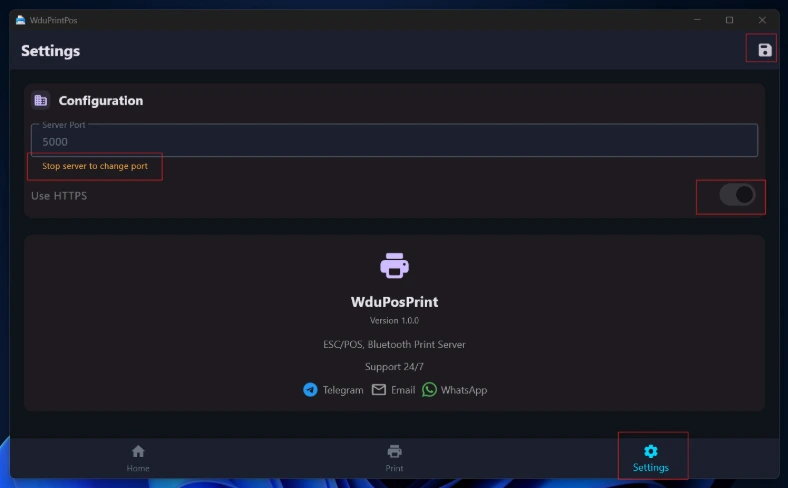
- Go to the WduPosPrint settings.
- Look for the "Use HTTPS" option within the settings.
- Check the box to activate HTTPS.
- Save the changes.
If you encounter any CORS errors, simply switch to HTTPS. We provide a built-in one-click solution that automatically generates SSL on Windows and Android, making the setup quick and effortless.
